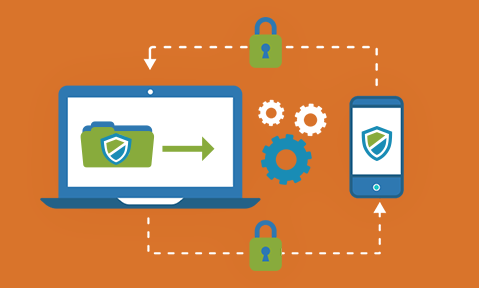
Internal documents often include a company’s most sensitive information, from financial reports to proprietary research. Yet common sharing methods like email or USB drives leave these files vulnerable. In fact, studies show nearly 60% of organizations have been hit by attacks (like ransomware) when sharing data, and errors are frequent: one city employee once emailed confidential data for 3,700 coworkers to the wrong person. These incidents illustrate that without robust document security (encryption, strict access controls, etc.), a simple file share can trigger a major data breach.
Common Risks: Consider these scenarios across industries:
-
Education: A student or researcher might email a draft report or thesis to the wrong address. Once the attachment is sent, there’s no way to recall or protect it if it lands in the wrong hands.
-
Design/Creative: A designer emailing project blueprints to a partner risks the recipient forwarding those ideas. By the time the designer realizes, the concept could have leaked online, undermining competitiveness.
-
Finance/Banking: Sensitive customer data (IDs, financial records) sent insecurely can be intercepted or misused. Even after an employee leaves, any retained files can be exploited if not protected by rights management.
These examples show why “sending and forgetting” is dangerous. In fact, experts note that 55% of data breaches are caused by human error, underscoring why organizations can’t rely on unsafeguarded attachments. Every shared file must be treated as a potential risk.

Essential Document Security Practices
According to industry recommendations, strong encryption is a fundamental requirement for protecting sensitive information. To mitigate these risks, enterprises should apply multiple layers of protection around each document:
-
Encryption: Always encrypt files both in transit and at rest. Strong algorithms (e.g. AES-256) ensure that if a file is intercepted or stolen, it remains unreadable without the key.
-
Access Control: Require strict authentication for every file access. Use multi-factor authentication (MFA) or unique passwords so only intended recipients can open the document. Assign minimum necessary permissions (view-only, edit, etc.) based on user roles.
-
Post-Send Restrictions: Prevent actions like downloading, printing, copying, or screenshots after sharing. Modern Information Rights Management (IRM) systems let you send view-only links for Office/PDF files, overlay dynamic watermarks, and even revoke access remotely. This way you retain control over the document throughout its lifecycle.
-
Audit & Revocation: Keep detailed logs of all document activity (who accessed what, and when). Monitoring provides compliance evidence and alerts you to anomalies. Critically, choose a solution that allows you to stop or expire access at any time (for example if a leak is suspected).
By combining these practices, companies enforce true document security instead of relying on insecure “send-and-hope” methods.

Start Securing Your Documents Today
With 689Cloud, enterprise file sharing finally meets enterprise-grade security. IT leaders gain visibility and control without burdening users. The result is a secure collaboration environment where employees use familiar tools (email and cloud drives) while your documents stay protected. As 689Cloud notes, “With SecureMail, you get the convenience and ease of email attachments while increasing security, traceability, and control”. Ready to secure your internal documents?
Contact 689Cloud or start a free trial today to keep your sensitive files safe.